Omnidiumbeta
Everything connected. Less work holding it together.
Omnidium connects the tools your business already uses, automates the work between them, and reaches all the way down to your desktops, where an AI agent fixes most* issues itself. Describe what you need; the assistant builds it; you stay in control.
- ready in the catalogue
- [n] connectors
- released 5 November 2026
- Agent 1.0.11
- across the whole platform, not just this site
- 32 languages
Read from the platform when this page was built, 6 November 2026.
Describe it, don’t program it
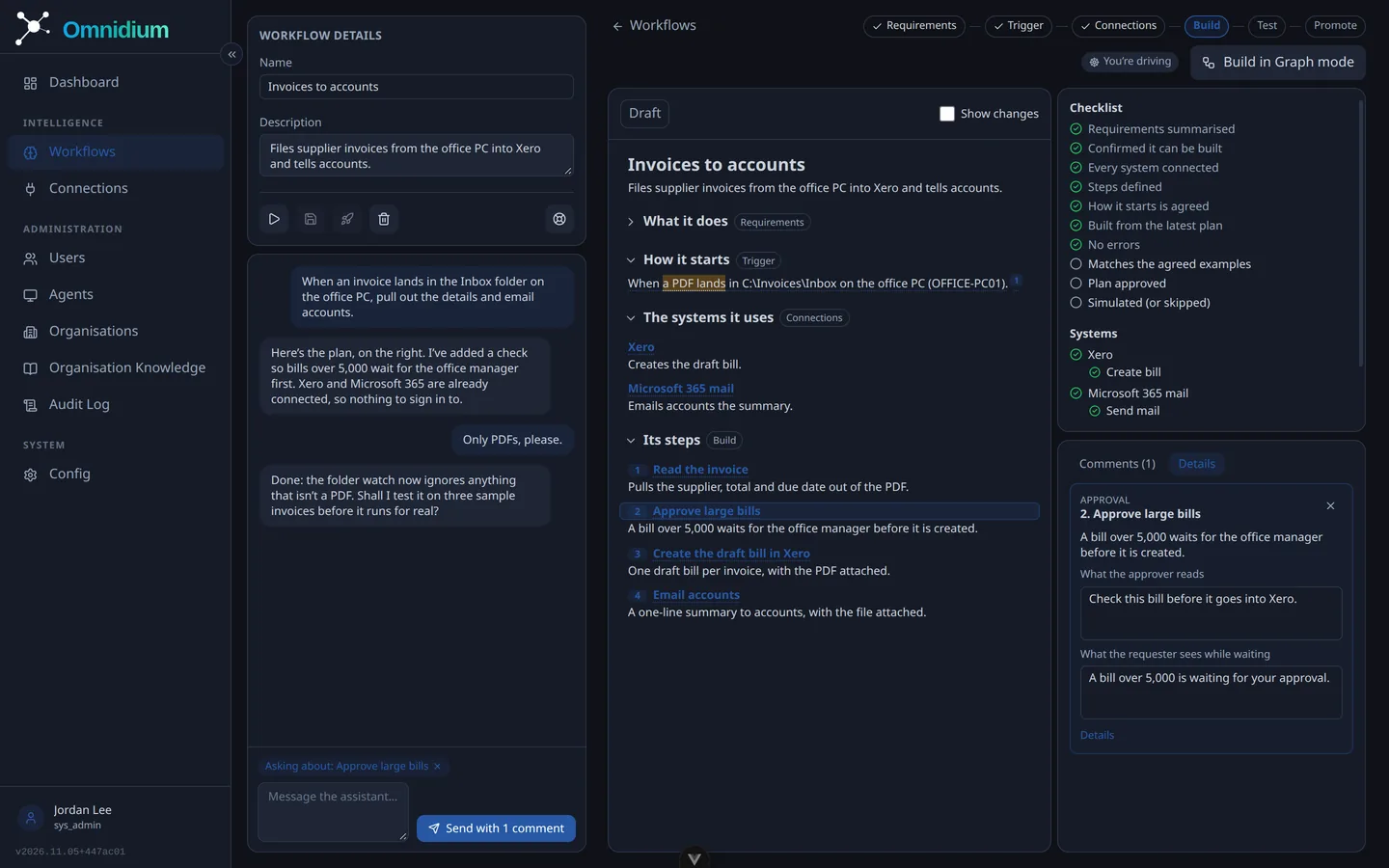
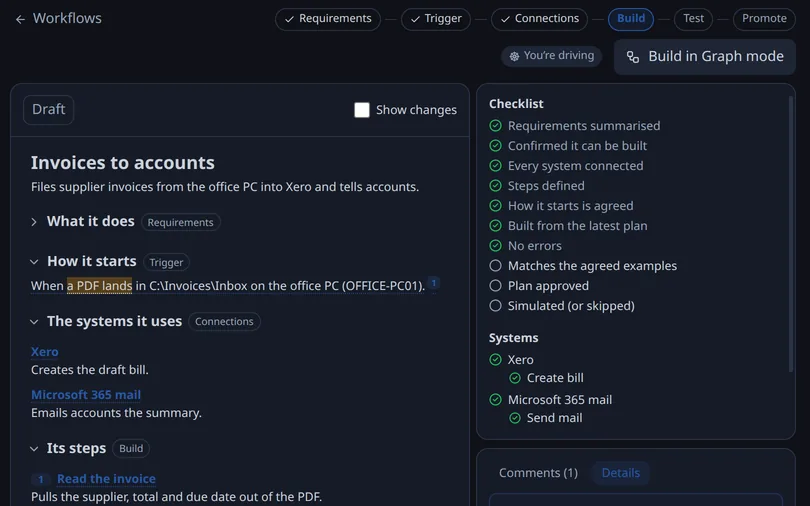
Tell Omnidium what you need: “when an invoice lands in this folder, pull out the details and email accounts”. The assistant plans the workflow with you on a document you can comment on, connects the systems, tests it on sample data, then runs it for real once, before anything goes live.
Keep the tools you love
Sign in to the services you already use and Omnidium connects them: Xero, MYOB, Microsoft 365, Google Workspace, HubSpot, Shopify, Deputy, Australia Post and [n] more, with [n] ready-made actions, and a research agent that drafts a new connector from a vendor’s documentation when yours isn’t there yet. In the catalogue or not, anything with an internet-reachable API can be connected.
Fixes most* issues itself
The Omnidium Agent lives on your computers, whether they run Windows, macOS or Linux. Tell it what’s wrong and it investigates, in your language, proposes a fix and applies it once you say yes; every command is tiered by what it can change, and the dangerous ones are refused outright. It can show you the way on screen, or do the clicks for you while you watch. Separately, it’s how workflows reach your machines: watched folders, files on local and network shares, notifications to the right person; and it updates itself silently.
*Lots of requests get sorted by the agent. It’s not perfect, so a real person is always one click away.
Automation you can trust
Every workflow has an owner, a version history and an audit trail. Sensitive steps wait for a person, and a workflow that writes or deletes files on devices needs a second administrator’s approval before it goes live. People see exactly what ran, when and why, and credentials stay in the vault, never in the AI’s hands.
Built for people
When automation needs a human, Omnidium turns it into a notification, a ticket or a chat addressed to a person, not a queue. Your own helpdesk if you want one, Omnidium’s helpdesk behind it if you need it, and remote help only with the person’s consent.
Just you? Omnidium works for individuals too.
One platform. Stronger connections.
Omnidium is in private beta. Leave your email and we’ll tell you when it’s your turn.